Photo & Slide Digitization
Best PPI Resolution for Scanning Old Family Photos and Slides
Give every photograph and slide the detail it deserves. Work out a useful scanning resolution before you lift the scanner lid.
At a glance
- Optical PPI measures physical sensor sampling density across an original print or film frame, whereas printer DPI measures ink droplet placement and interpolated PPI invents synthetic pixels in software.
- FADGI 2023 and NARA 36 CFR § 1236.50 archival standards specify 400 to 600 optical PPI for reflective paper prints and 3,000 to 4,000 optical PPI for 35mm slides and negatives.
- Scanning standard 4×6-inch silver gelatin or chromogenic paper prints above 600 to 800 PPI magnifies paper fiber and silver halide grain clumps without extracting new optical detail.
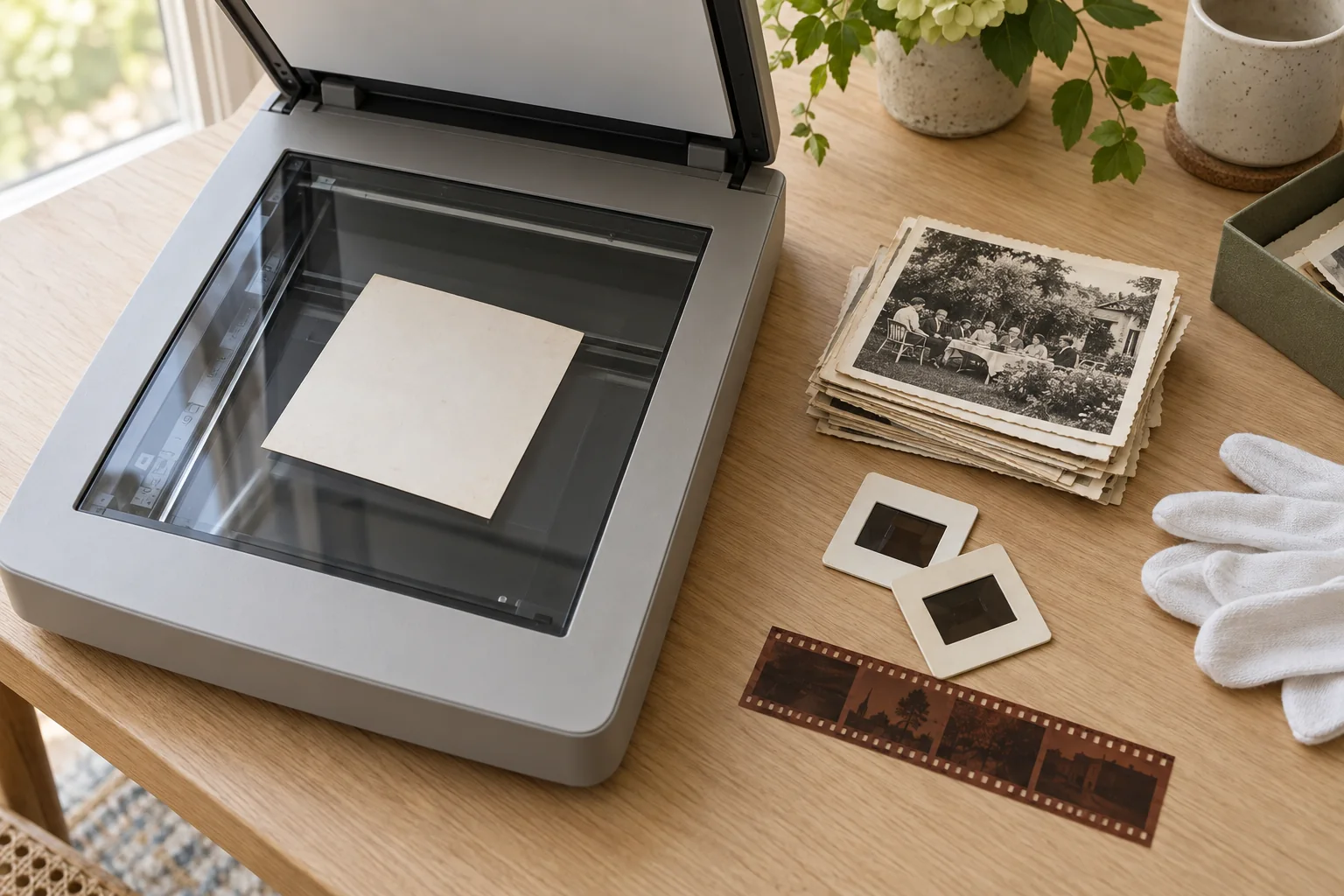
Digitizing a shoebox of family snapshots, 19th-century cabinet cards, and Kodachrome slide carousels requires choosing a sampling resolution before the scanner lid closes. Scan too low, and a tiny 13 × 17 mm 110 film frame or crowded group portrait loses legible facial features and street signs forever. Scan far above the physical resolving limit of photographic paper, and every file balloons into hundreds of megabytes of empty magnification showing only baryta paper weave and dye clouds. You can calculate exact pixel dimensions, enlargement limits, and archival storage footprints for any print or film format using the Photo & Slide Digitization Planner.
Optical PPI vs. Printer DPI vs. Interpolated Resolution
Scanner boxes and printer drivers routinely mix Optical PPI, Interpolated PPI, and Printer DPI. Separating them mathematically is the foundation of archival digitization.
1. Optical PPI (Pixels Per Inch at the Original)
Pixels Per Inch (PPI) defines how many discrete photoelectric sensor elements (on a CCD/CIS scanner array or digital camera CMOS sensor) sample one linear inch of the original item. Under the Federal Agencies Digital Guidelines Initiative (FADGI 2023) and the U.S. National Archives (NARA 36 CFR § 1236.50) rules, archival sampling density is always specified as optical PPI at 1:1 (100%) original scale.
2. Software-Interpolated PPI
Consumer flatbed scanners frequently advertise headline numbers like 9,600 × 9,600 dpi or 12,800 dpi. On almost all desktop flatbeds, true optical resolving power measured on a USAF 1951 resolution target or ISO 12233 slanted-edge chart sits between 1,600 and 2,400 effective pixels per inch (31 to 47 line pairs per millimeter, lp/mm), even when the stepper motor clocks at 4,800 or 6,400 PPI. Settings above native sensor pitch rely on bicubic or bilinear software interpolation, inserting averaged pixels between real readings. Interpolation quadruples file size for every 2× jump in linear PPI while adding zero high-frequency optical detail.
3. Printer DPI (Dots Per Inch of Ink)
Dots Per Inch (DPI) describes the mechanical droplet density of an inkjet or dye-sublimation printhead (1,440 to 4,800 DPI). Because a printer uses a fixed ink set, it lays down a microscopic 4 × 4 to 8 × 8 droplet grid (DPI) to render a single continuous-tone image pixel (PPI). Photo labs and fine-art printers require 300 PPI of continuous-tone image data for hand-held album prints (10–12 in viewing distance), or 240 PPI for framed wall portraits (24–36 in viewing distance).
Core Digitization Equations: Pixels, Megapixels, and Enlargement
When an original photographic item of physical width W_in and height H_in (in inches, where 1 inch = 25.4 mm) is digitized at an optical sampling rate of PPI_scan, the resulting raster grid dimensions (W_px × H_px), total pixel count (N_px), and megapixel rating (MP) follow exact linear and area equations:
Physical dimensions in inches (from millimeters):
  W_in = W_mm ÷ 25.4
  H_in = H_mm ÷ 25.4

Output pixel dimensions:
  W_px = round(W_in × PPI_scan)
  H_px = round(H_in × PPI_scan)

Total pixels and Megapixels (decimal SI definition):
  N_px = W_px × H_px
  MP   = (W_px × H_px) ÷ 1,000,000
Once digitized, the maximum physical print size (W_print × H_print) that maintains a target continuous-tone print density (PPI_print, typically 300 PPI for album prints or 240 PPI for wall prints) is governed by the linear enlargement factor (M):
Linear enlargement factor:
  M = PPI_scan ÷ PPI_print

Maximum sharp print dimensions (inches):
  W_print = W_px ÷ PPI_print = W_in × M
  H_print = H_px ÷ PPI_print = H_in × M
Worked Example 1: 4×6-Inch Family Snapshot at 600 PPI
Suppose you scan a 4.0 × 6.0 in (101.6 × 152.4 mm) silver gelatin print from 1958 at 600 PPI (FADGI 4-Star reflective print standard):
- Pixel dimensions:
W_px = 4.0 × 600 = 2,400 px;H_px = 6.0 × 600 = 3,600 px. - Megapixels:
MP = (2,400 × 3,600) ÷ 1,000,000 = 8.64 MP. - Enlargement factor at
300 PPI:M = 600 ÷ 300 = 2.0×linear (4.0×area), yielding a crisp8.0 × 12.0 inalbum print or a10.0 × 15.0 inwall portrait at240 PPI(M = 2.5×).
Worked Example 2: 35mm Slide (24 × 36 mm) at 4,000 PPI
A mounted 35mm Kodachrome or Ektachrome slide has an active film gate of 24.0 × 36.0 mm:
- Convert millimeters to inches:
W_in = 24.0 ÷ 25.4 = 0.9449 in;H_in = 36.0 ÷ 25.4 = 1.4173 in. - Pixel dimensions at
4,000 PPI:W_px = round(0.9449 × 4,000) = 3,780 px;H_px = round(1.4173 × 4,000) = 5,669 px. - Megapixels and Enlargement:
MP = 21.43 MP, andM = 4,000 ÷ 300 = 13.33×linear—producing a native12.6 × 18.9 inprint at300 PPI, or a15.8 × 23.6 inwall print at240 PPI.
FADGI 2023 and NARA 36 CFR § 1236.50 Resolution Standards
Library of Congress FADGI guidelines and NARA (36 CFR § 1236.50) classify digitization on a four-star scale. FADGI 3-Star defines a high-grade preservation master, while FADGI 4-Star defines the maximum archival tier for negatives, studio portraits, and group photos with faces under 0.25 inches (6 mm).
| Original Format | Gate / Size (in) |
3-Star | 4-Star | 4-Star Grid (px) |
4-Star MP |
Max 300 PPI Print |
|---|---|---|---|---|---|---|
110 Film (13×17mm) |
0.5118 × 0.6693 |
3,200 |
4,000 |
2,047 × 2,677 |
5.48 MP |
6.8 × 8.9 in |
35mm Film (24×36mm) |
0.9449 × 1.4173 |
3,000 |
4,000 |
3,780 × 5,669 |
21.43 MP |
12.6 × 18.9 in |
126 Film (28×28mm) |
1.1024 × 1.1024 |
2,800 |
3,600 |
3,969 × 3,969 |
15.75 MP |
13.2 × 13.2 in |
120 Medium (56×56mm) |
2.2047 × 2.2047 |
2,000 |
2,800 |
6,173 × 6,173 |
38.11 MP |
20.6 × 20.6 in |
| 4×5 Large Format | 4.0000 × 5.0000 |
1,200 |
2,000 |
8,000 × 10,000 |
80.00 MP |
26.7 × 33.3 in |
| Wallet / CDV | 2.5000 × 4.0000 |
600 |
800 |
2,000 × 3,200 |
6.40 MP |
6.7 × 10.7 in |
| 4×6 Snapshot | 4.0000 × 6.0000 |
400 |
600 |
2,400 × 3,600 |
8.64 MP |
8.0 × 12.0 in |
| 5×7 / Cabinet Card | 5.0000 × 7.0000 |
400 |
600 |
3,000 × 4,200 |
12.60 MP |
10.0 × 14.0 in |
| 8×10 Portrait | 8.0000 × 10.0000 |
300 |
600 |
4,800 × 6,000 |
28.80 MP |
16.0 × 20.0 in |
To see how these pixel grids translate into uncompressed 24-bit and 48-bit TIFF byte sizes across an archive, consult TIFF vs. PNG vs. JPEG: Archival File Formats and Bit-Depth Math.
Why Scanning a 4×6 Print Above 600–800 PPI Yields Empty Magnification
Setting a flatbed scanner to 1,200 PPI or 2,400 PPI for ordinary 4 × 6 in prints in the hope of zooming into a distant face is a classic trap. Unlike camera film—where silver halide crystals or Kodachrome dye clouds sit in a clear gelatin emulsion resolving 50 to 120 line pairs per millimeter (lp/mm)—a paper print is a secondary optical generation limited by paper physics.
Spatial Frequency and the Nyquist-Shannon Sampling Ceiling
One line pair per millimeter (1 lp/mm) consists of one dark line and one adjacent light space. By the Nyquist-Shannon sampling theorem, a sensor requires at least 2 pixels per line pair (and 2.5 pixels per line pair in practice to account for Modulation Transfer Function roll-off) to resolve that frequency cleanly:
Required Optical PPI (Nyquist minimum):
  PPI_min = 2 × (lp/mm) × 25.4 mm/in = 50.8 × (lp/mm)

Practical Archival PPI (accounting for MTF roll-off):
  PPI_practical ≈ 2.5 × (lp/mm) × 25.4 mm/in = 63.5 × (lp/mm)
Applying this equation explains the divide between paper prints and transparent film:
- Chromogenic (Kodacolor) and Enlarger-Printed Silver Gelatin Paper (
4 × 6 in): Consumer enlarger lenses and lateral light scattering inside the titanium dioxide (TiO2) or baryta (BaSO4) reflective paper base limit snapshot prints to5 to 8 lp/mm. Using our practical formula,8 lp/mm × 63.5 = 508 PPI(and at most10 lp/mm × 63.5 = 635 PPI). - Textured Silk, Linen, Matte, or Pearl Prints (1960s–1980s): Embossed paper surfaces have a dimple spacing of
0.15 to 0.30 mm(3 to 6 cycles/mm). Scanning above600 PPIresolves glare on the paper dimples rather than photographic detail. - 19th-Century Contact-Printed Albumen and Silver Gelatin Prints: Because glass-plate negatives were contact-printed (
1:1pressed directly against sensitized paper without an enlarger lens), crisp contact prints preserve10 to 14 lp/mm. For small Cartes de Visite (2.5 × 4.0 in) or sharp group portraits, scanning at800 to 1,200 PPIis justified. - 35mm Camera Negatives and Kodachrome Slides: High-acutance 35mm films shot with prime lenses hold
45 to 65 lp/mm(45 × 63.5 = 2,858 PPIto65 × 63.5 = 4,128 PPI), which is why FADGI specifies3,000 PPI(3-Star) and4,000 PPI(4-Star) for 35mm transparencies.
Choosing the Right Hardware Workflow for Your Family Collection
Matching each format to the right optical capture system saves time while meeting federal preservation thresholds:
- Reflective Paper Prints (
300 to 800 PPI): Any CIS/CCD flatbed scanner or copy-stand camera achieves true600 PPIin12 to 25 seconds. Disable automatic contrast in the scanner driver so shadows and highlights are not clipped; see Reading Photo Histograms to Fix Faded Magenta and Yellow Prints for capturing unclipped tonal curves. - 35mm Slides, 110 Film, and Negative Strips (
3,000 to 4,000 PPI): Consumer flatbeds rarely exceed1,800 to 2,200true optical PPI on 35mm film. Use a dedicated 35mm film scanner or1:1macro camera rig (24 MPsensor across1.4173 in=4,233 PPIatf/5.6–f/8). - 120 Medium Format and 4×5 Sheet Film (
1,200 to 2,800 PPI): Because a56 × 56 mmor4 × 5 innegative has3.6×to14.9×the area of a 35mm frame, a transparency flatbed at2,000 to 2,400 PPIproduces24 to 80 MPmasters.
Once your resolution is set, organize your output folders using ISO 8601 File Naming and the 3-2-1 Backup Rule for Family Archives, and cross-check monument dates in your scans with the Tombstone, Census & Kinship Calculator.
Put it into practice
Try it with your own collection
Photo & slide planner
Plan scan quality, estimate storage, and inspect a photograph’s colors.
Sources & further reading
- FADGI – Technical Guidelines for Digitizing Cultural Heritage Materials (3rd Edition, May 2023)
- National Archives (NARA) – 36 CFR § 1236.50 Digitization Standards for Permanent Records
- Library of Congress – Recommended Formats Statement: Still Image Works
- Wikipedia – Image resolution and spatial frequency (lines per millimeter)
Information on this page is for educational archival preservation and historical genealogy research. Always test conservation handling on non-unique materials first, verify AI handwriting transcriptions against original county or NARA microfilm, and never use autosomal DNA statistics for clinical or legal parentage determinations. Nothing on this site is legal, probate, medical, or financial advice. Spotted an error? Tell us and we will review it under our corrections policy.
Back to the beginning ↑